Pick a Version That'll Work You...
Pro Sniper Liquidity EA PC & MOBILE (Android 7+ & IOS)
Installation Guide
Step 1
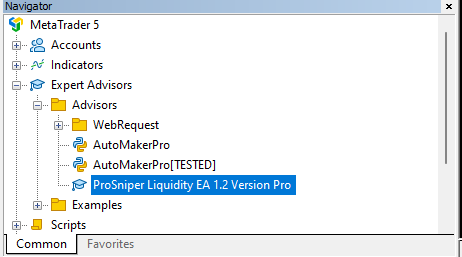
Copy ProSniper Liquidity EA 1.2 Version Pro file to Experts
Folder File -> Open Data Folder ->MQL5->Experts->Advisors
Step 2
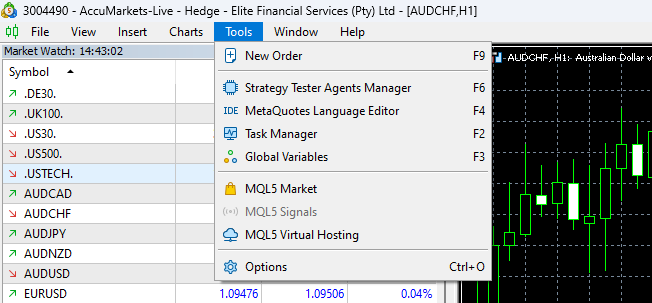
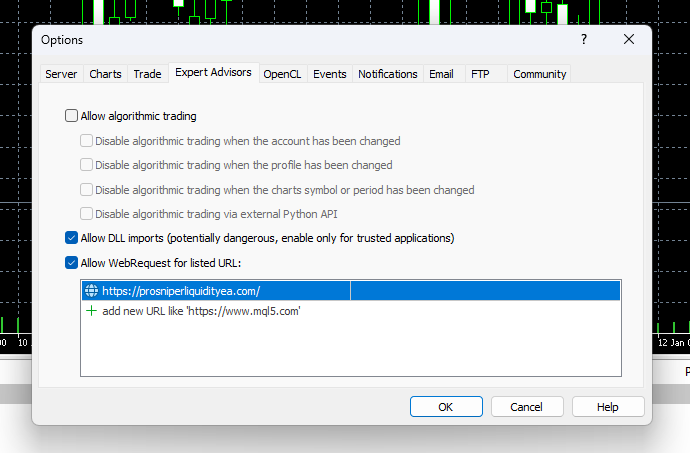
Go to tools-> Options
Expert Advisors -> Allow WebRequest
Step 3
Drag and drop the EA from navigator to chart
Step 3 Continued
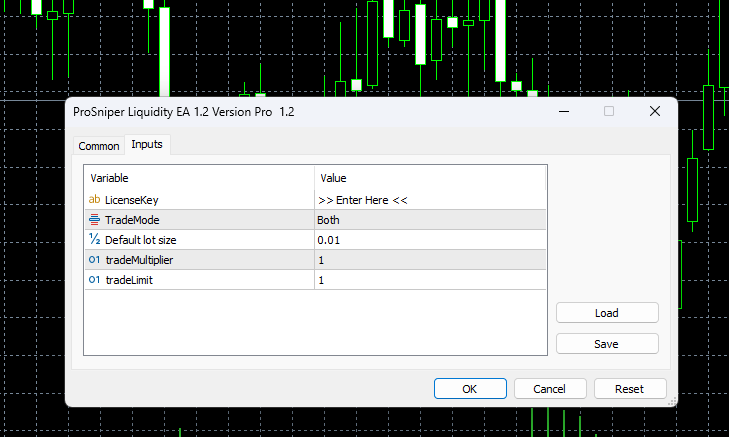
Insert your license key and allow auto trading on common